
How to enable monitoring (COS)
This guide shows how to integrate Charmed OpenSearch with the Canonical Observability Stack (COS) for metrics, dashboards, alerts, and logs.
The integration workflow depends on the charm variant:
On VMs, the
opensearchmachine charm exposes a singlecos-agentendpoint, and a machinegrafana-agentcharm collects and forwards the telemetry to COS.On Kubernetes, the
opensearch-k8scharm exposes native COS endpoints (metrics-endpoint,grafana-dashboard, andlogging), and agrafana-agent-k8scharm in the OpenSearch model collects and forwards the telemetry to COS. If COS Lite runs in the same model, OpenSearch can integrate with the COS applications directly instead.
For background on monitoring features, see the Monitoring explanation.
Prerequisites
A deployed Charmed OpenSearch cluster
A deployed
cos-litebundle in a Kubernetes environment, in a model separate from the OpenSearch model
A deployed
opensearch-k8sapplication with TLS configuredA deployed
cos-litebundle, either in the same Kubernetes model asopensearch-k8sor in a separate model
Tip
The COS documentation recommends a dedicated model for COS Lite.
If you deploy COS Lite in the OpenSearch model instead (juju deploy cos-lite --trust),
skip the offer and consume steps below and integrate the applications directly.
Offer COS interfaces
Switch to the COS K8s controller and offer the required interfaces. The easiest way is to deploy COS Lite with the
offers overlay, which creates
cross-model offers named grafana-dashboards, loki-logging, and prometheus-receive-remote-write:
juju switch <k8s-controller>:<cos-model>
curl -L https://raw.githubusercontent.com/canonical/cos-lite-bundle/main/overlays/offers-overlay.yaml -O
juju deploy cos-lite --trust --overlay ./offers-overlay.yaml
If COS Lite is already deployed without the overlay, offer the interfaces manually:
juju offer grafana:grafana-dashboard grafana-dashboards
juju offer loki:logging loki-logging
juju offer prometheus:receive-remote-write prometheus-receive-remote-write
Consume offers from the OpenSearch model
Switch to the OpenSearch model and consume the COS offers:
juju switch <opensearch-controller>:<opensearch-model>
juju consume <k8s-controller>:admin/<cos-model>.grafana-dashboards
juju consume <k8s-controller>:admin/<cos-model>.loki-logging
juju consume <k8s-controller>:admin/<cos-model>.prometheus-receive-remote-write
Integrate with COS
Deploy grafana-agent in the OpenSearch model:
juju deploy grafana-agent
Integrate it with the consumed COS offers:
juju integrate grafana-agent grafana-dashboards
juju integrate grafana-agent loki-logging
juju integrate grafana-agent prometheus-receive-remote-write
Integrate it with OpenSearch:
juju integrate grafana-agent opensearch:cos-agent
Note
If grafana-agent-k8s is already deployed in this model (for example, while
monitoring Charmed OpenSearch Dashboards), skip this step (agent deployment) and
the next step (COS offers integration); only add the OpenSearch integrations below.
Deploy grafana-agent-k8s in the OpenSearch model:
juju deploy grafana-agent-k8s --trust
Integrate it with the consumed COS offers:
juju integrate grafana-agent-k8s:grafana-dashboards-provider grafana-dashboards
juju integrate grafana-agent-k8s:logging-consumer loki-logging
juju integrate grafana-agent-k8s:send-remote-write prometheus-receive-remote-write
Integrate it with OpenSearch:
juju integrate opensearch-k8s:metrics-endpoint grafana-agent-k8s:metrics-endpoint
juju integrate opensearch-k8s:grafana-dashboard grafana-agent-k8s:grafana-dashboards-consumer
juju integrate opensearch-k8s:logging grafana-agent-k8s:logging-provider
metrics-endpointlets the agent scrape the OpenSearch metrics endpoint.grafana-dashboardtransfers the Charmed OpenSearch dashboard.loggingsends the OpenSearch logs.
If COS Lite is deployed in the same model as opensearch-k8s, skip the agent
and the offers, and integrate OpenSearch with the COS applications directly:
juju integrate opensearch-k8s:metrics-endpoint prometheus:metrics-endpoint
juju integrate opensearch-k8s:grafana-dashboard grafana:grafana-dashboard
juju integrate opensearch-k8s:logging loki:logging
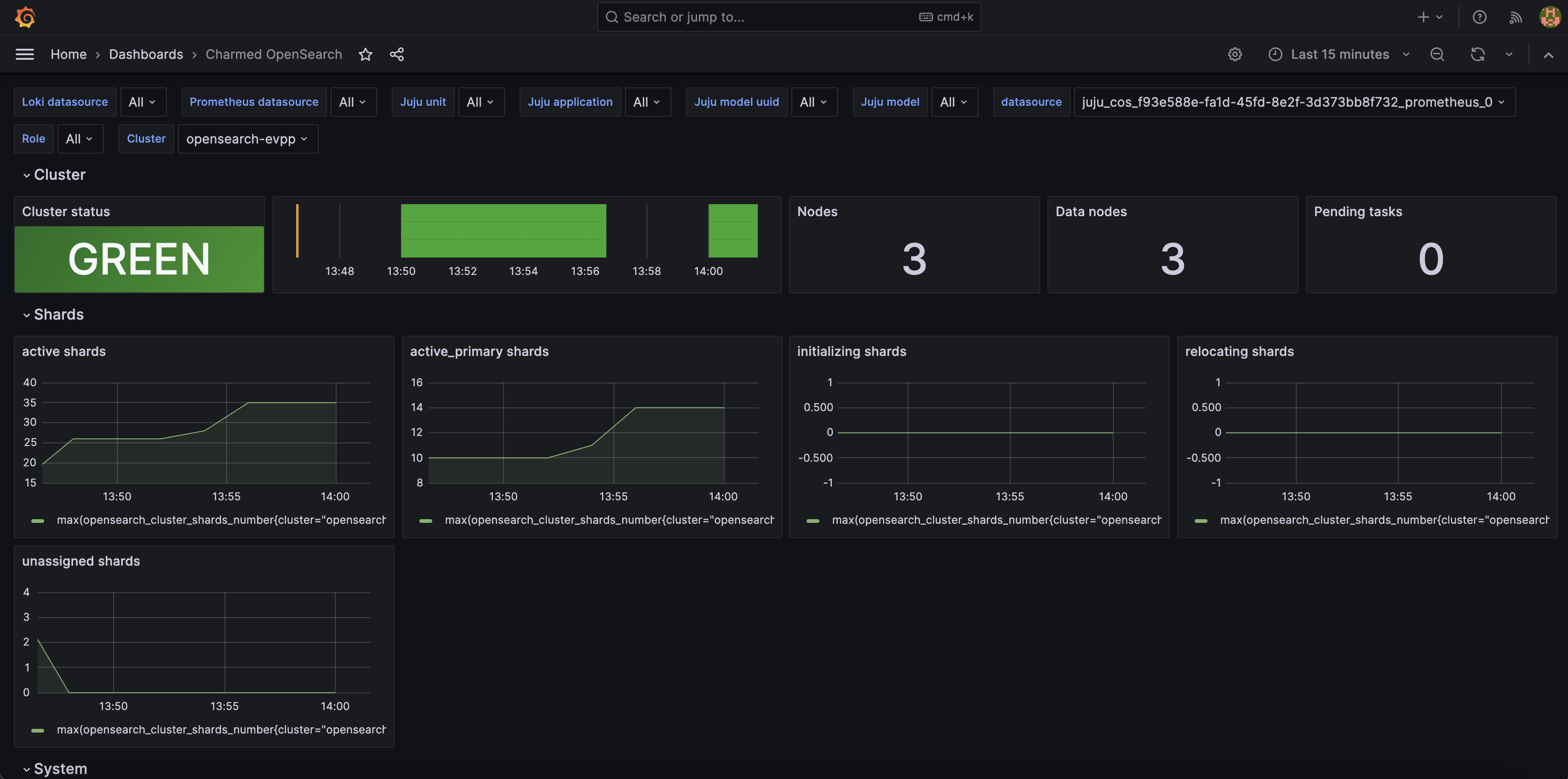
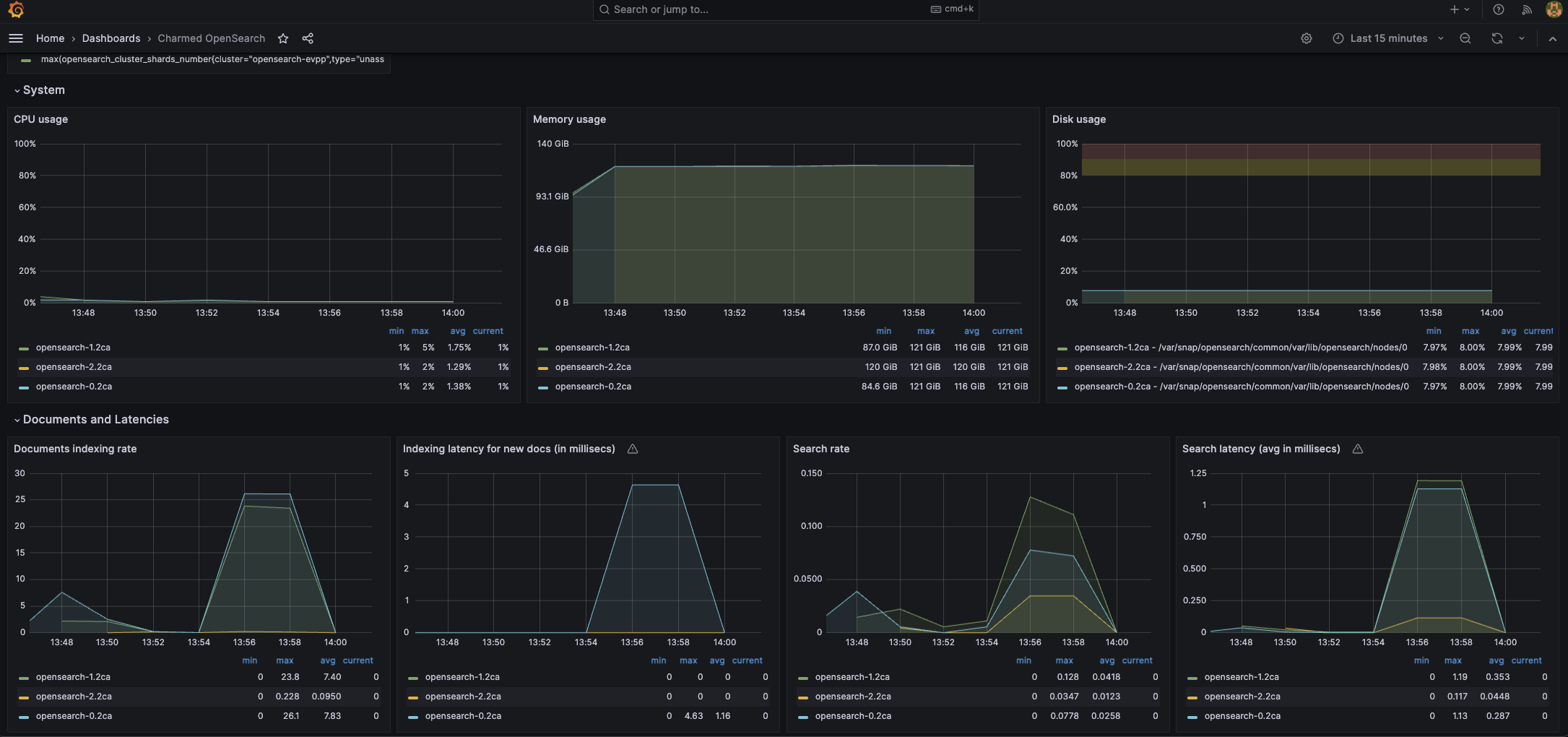
After integration, Grafana will display the Charmed OpenSearch dashboard and Loki will receive OpenSearch logs.
Large deployments
For multi-application clusters, integrate grafana-agent with each OpenSearch application.
The dashboard aggregates data from all connected units.
For multi-application clusters, repeat the three OpenSearch integrations
(metrics-endpoint, grafana-dashboard, and logging) for each OpenSearch application.
The dashboard aggregates data from all connected units.
Multiple clusters
Multiple deployments can share the same COS instance. The dashboard provides selectors to filter by cluster.
Access the Grafana web interface
Retrieve the Grafana admin password:
juju run grafana/leader get-admin-password --model <k8s-controller>:<cos-model>
For detailed instructions, see Browse dashboards in the COS tutorial.
In Grafana, select the Charmed OpenSearch dashboard. You can filter by Juju model, application, unit, cluster, and node role.
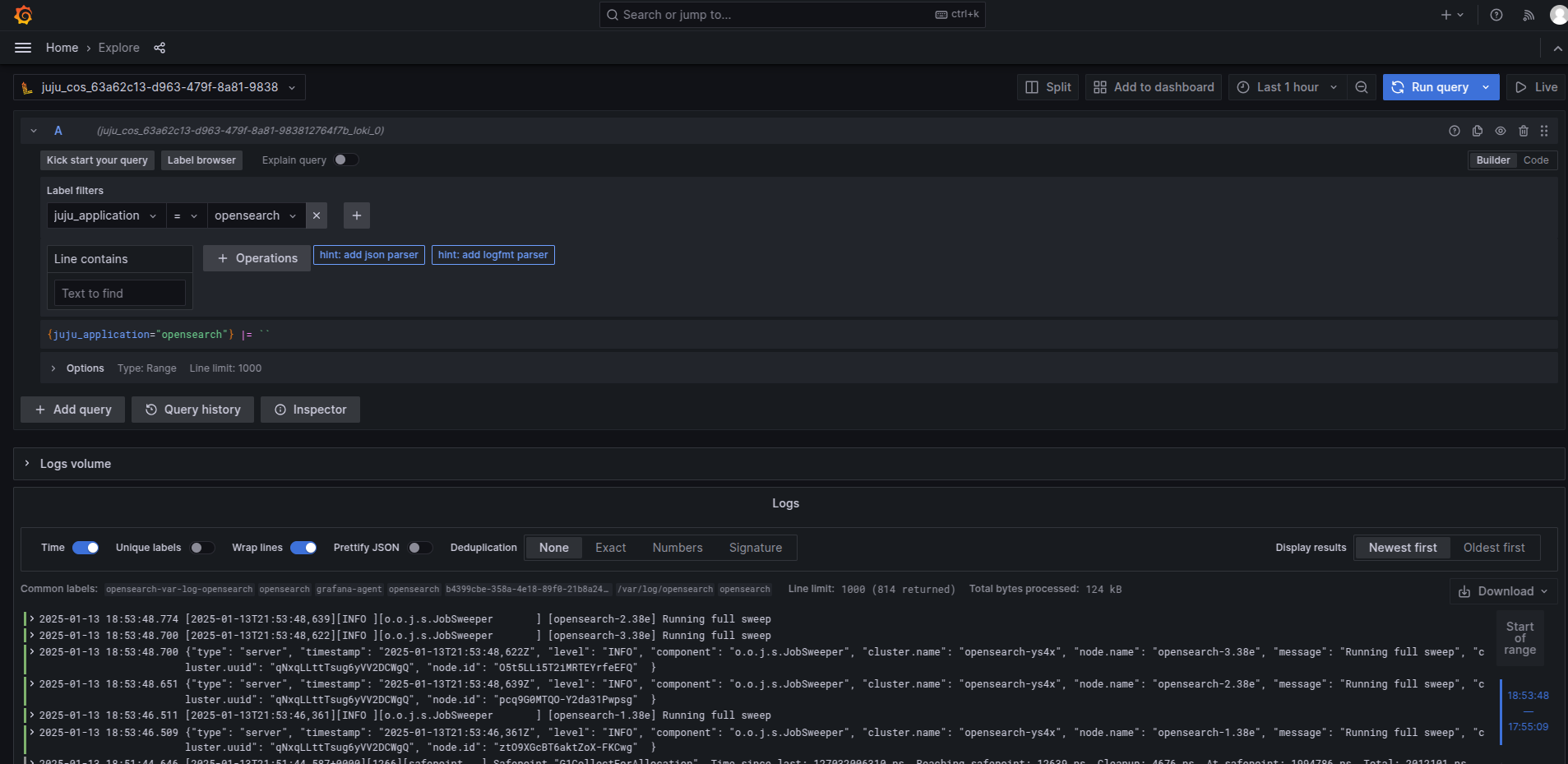
To inspect OpenSearch logs, open Explore in Grafana, select the Loki data source, filter by juju_application, and
run the query:
Note
For exploring and visualising your indexed data (as opposed to cluster health metrics), deploy Charmed OpenSearch Dashboards.
Next steps
Perform load testing — benchmark the cluster under load with COS monitoring.
Monitoring explanation — background on monitoring features.