Integrate with COS (K8s)
In this guide, we will cover how-to integrate OpenBao K8s with Canonical Observability Stack (COS) for metrics, logs, and dashboards.
Pre-requisites
Juju >= 3.4
1. Deploy COS Lite
Create a model for observability:
juju add-model cos
Deploy cos lite and wait for all applications to be in active status:
juju deploy cos-lite --trust
Create offers for integrating with COS:
juju offer prometheus:receive-remote-write prometheus
juju offer loki:logging loki
juju offer grafana:grafana-dashboard grafana-dashboard
2. Integrate with COS
Switch to the model in which OpenBao is deployed:
juju switch <openbao model>
Deploy OpenTelemetry Collector:
juju deploy opentelemetry-collector-k8s
Integrate OpenBao K8s with OpenTelemetry Collector:
juju relate openbao-k8s:cos-agent opentelemetry-collector-k8s:cos-agent
Consume the COS offers:
juju consume cos.prometheus
juju consume cos.loki
juju consume cos.grafana
Integrate OpenTelemetry Collector with COS:
juju relate prometheus:receive-remote-write opentelemetry-collector-k8s:send-remote-write
juju relate loki:logging opentelemetry-collector-k8s:send-loki-logs
juju relate grafana:grafana-dashboard opentelemetry-collector-k8s:grafana-dashboards-provider
3. Access the OpenBao dashboard
Switch to the cos model:
juju switch cos
Retrieve the Grafana admin password:
juju run grafana/leader get-admin-password
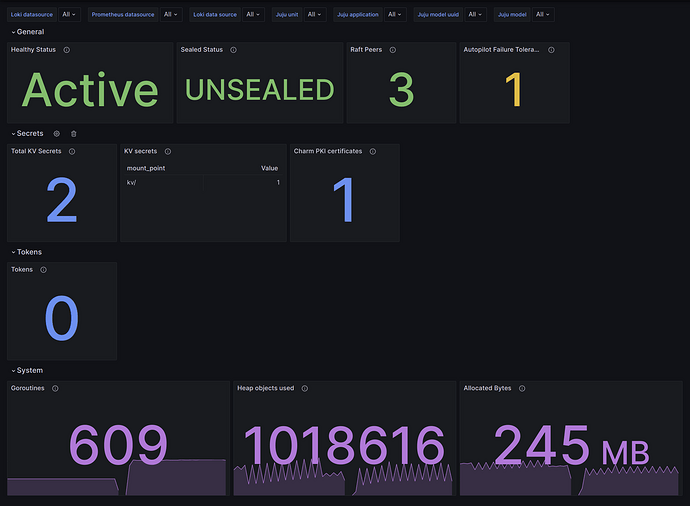
Log in Grafana, and select the OpenBao dashboard.